


we create digital experiences
WordPress Security Services
Emergency WordPress Malware Removal & Security Services
Site hacked? We clean it, restore it, and close the hole that let them in — with a 30-day reinfection warranty on the fix.
Site hacked? We clean it, restore it, and close the hole that let them in — with a 30-day reinfection warranty on the fix.
Two critical vulnerabilities are being exploited against WordPress sites right now, and they are not the same problem.
The first is wp2shell, a flaw chain in WordPress core itself. Wordfence scored it 9.8 out of 10. It lets an unauthenticated attacker run code on your site even with no plugins installed. You fix this one yourself, from your dashboard, in about two minutes.
The second is php2shell, disclosed on 21 October. It sits in PHP, underneath WordPress, and affects every version back to 5.4. Rated 9.2 out of 10. Researchers demonstrated working remote code execution against a fully updated WordPress install, which means being current on WordPress does not protect you. This one your host has to patch.
If nobody has checked either on your site, assume you are exposed. We audit, patch, harden, and then keep watching.
On 21 October, emergency patches were released for critical PHP flaws rated 9.2 out of 10, affecting server environments running PHP versions back to 5.4.
Security researchers demonstrated working Remote Code Execution (RCE) against fully updated WordPress installs. Because this vulnerability exists at the PHP server layer, simply updating WordPress plugins or core will not protect your site.
This is a chain of two flaws. CVE-2026-60137 is an unauthenticated SQL injection, rated high on its own. CVE-2026-63030 is a REST API batch-route confusion flaw, rated critical. Chained together they give an attacker remote code execution without logging in, on a plain WordPress install with no plugins, because both live in core.
Searchlight Cyber found it and reported it to the WordPress Security Team. Wordfence scored the chain at 9.8. Proof-of-concept code is circulating and early in-the-wild exploitation has been reported.
Affected: WordPress 6.9 through 7.0.1. The 6.8 branch is affected by the SQL injection only.
Fixed in: WordPress 7.0.2, 6.9.5, and 6.8.6.
If you cannot update right now, block anonymous access to the batch endpoint at your firewall — that is /wp-json/batch/v1 and rest_route=/batch/v1. Searchlight Cyber also released a temporary plugin that requires authentication on batch requests. Both can break legitimate functionality, so use them to buy time and then patch properly.
Two flaws here as well: CVE-2026-109618 and CVE-2026-109619, both rated 9.2. Wiz Research found them using AI and demonstrated working exploits against current WordPress, Drupal, and Joomla images.
Every PHP version back to 5.4 is affected by at least one of them. PHP 8.1 and older are past end of life and get no official fix.
Fixed in: PHP 8.5.12, 8.4.27, 8.3.36, and 8.2.35.
This one is patched at server level. You cannot fix it from inside WordPress and no plugin can reach it. On managed hosting, open a ticket and ask them to confirm which PHP build you are on. On a VPS it is a package update and a worker restart.
CybelAngel analysed internet-facing PHP hosts after the disclosure and found 2.24 million exposed, with 59% running versions that will never receive a fix.
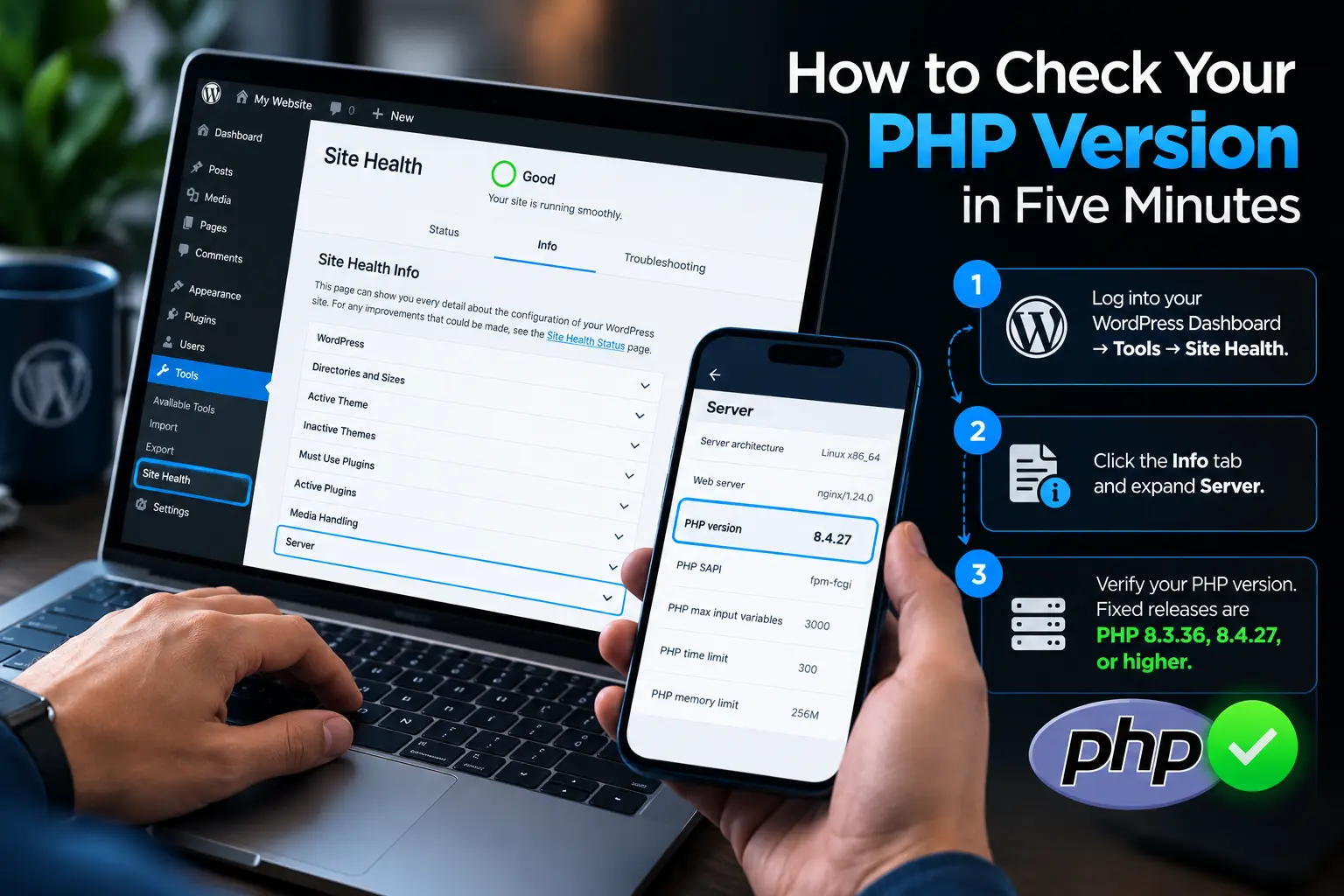
Your WordPress version: log into admin and look at the bottom-right of any screen, or go to Dashboard then Updates. If it is below 7.0.2, 6.9.5, or 6.8.6, update now.
Your PHP version: go to Tools, then Site Health, then the Info tab, then expand Server. If it is below 8.5.12, 8.4.27, 8.3.36, or 8.2.35 and your host has not confirmed a backported patch in writing, you are exposed.
Both take under five minutes. Do them before you read the rest of this page.
PHP 8.1 and every version below it reached end of life and will not receive an official fix. Some hosts backport security patches to older branches — ask yours directly and get the answer in writing. If they have not, your realistic options are migrating to PHP 8.4 or 8.5, which may need plugin and theme compatibility work, or taking the site offline until you can. We handle these migrations including the compatibility testing that stops an upgrade from breaking the site.
Look for unusual multipart requests followed by memory-limit errors in your logs, abnormally large PHPSESSID cookies, and PHP worker processes restarting with no clear cause. If any of those are present, treat the server as compromised and rotate every credential it held — database passwords, API keys, SMTP credentials, and admin logins.
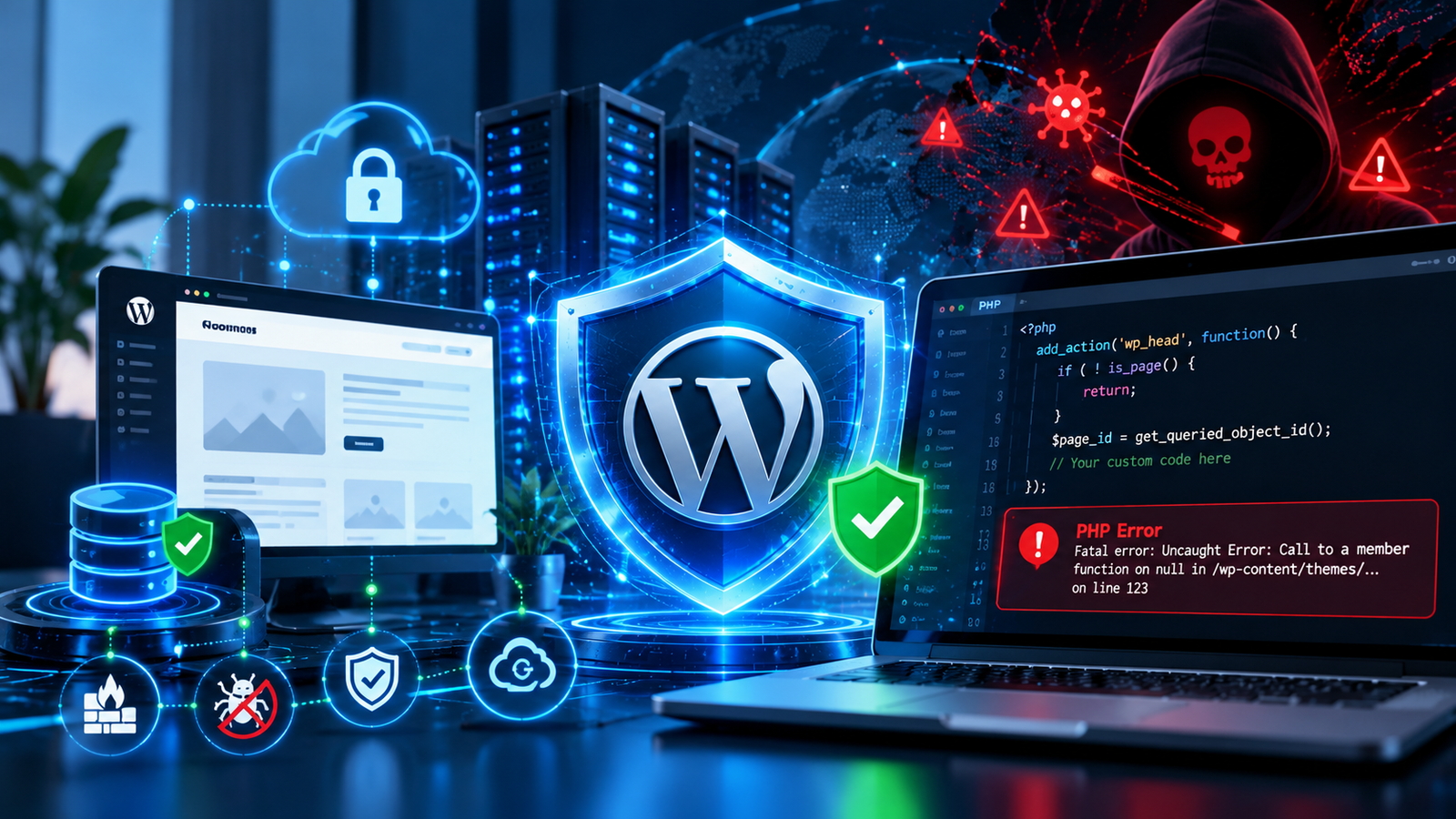
Monthly retainer covering patch management, file integrity checks, uptime monitoring, and a named person who answers when something breaks. We do not run a ticket queue — you get someone who knows your setup.
Three different promises get mixed together in this industry, usually on purpose. Here is where we draw the lines.
We guarantee the cleanup. If we take on a compromised site, we remove the malware and restore it to working order. If we cannot, you do not pay. That is a promise about our work and we stand behind it.
We warranty the fix for 30 days. If your site is reinfected through the same entry point we closed, we clean it again at no charge. Thirty days is long enough to prove the vector is genuinely shut rather than temporarily quiet.
We cannot guarantee your site will never be compromised. Nobody can. A new zero-day in WordPress core, a plugin vendor getting breached, a staff member reusing a password on another site — none of that is inside any agency’s control. An agency promising permanent immunity is describing a product that does not exist, and you should treat the promise as a reason to walk away rather than a reason to sign.
What you are buying is a fast, competent response and a shorter window of exposure. That is what website security actually is.
Most agencies describe malware removal as a single step. It is seven, and skipping any of them is why sites get reinfected two weeks after a cleanup.
✦ Our Process
Most agencies describe malware removal as a single step. It is four, and skipping any of them is why sites get reinfected two weeks later.
We start within 15 to 30 minutes. The site goes into maintenance mode if it is serving malware, attacking IPs get blocked, and we copy everything before touching a file.
We trace the entry point through access logs, file timestamps, and plugin versions, then strip the injected code and backdoors. Typically 2 to 6 hours, or a rebuild when that is faster.
Every credential the server held gets rotated. Then the hole gets patched and the ones beside it closed — permissions, headers, file editor disabled, login limiting, two-factor on every admin.
Reinfection usually surfaces in the first two weeks. We monitor file integrity, logins, and outbound traffic for 30 days, then hand you a written report of what we found and changed.
"We worked with Saints Soldier on our WordPress website for about two months and the experience was great from -start to finish. They rebuilt the site properly, fixed issues left by the previous setup and made everything more dynamic and easy to manage. SEO was handled by them, which gave us confidence that our site is ready to grow long term. Communication was clear, deadlines were met and the final result was awesome."
Vineet Sood
"I’ve had the pleasure of working with Saints Soldier for over five years now, and they have been an incredible partner for all our web design and development needs. From CMS backend development to creating fresh, modern designs for multiple projects, their team has delivered quality work every single time. They’re reliable, creative, and always ready to solve any challenge. I highly recommend Saints Soldier to anyone looking for a long-term, trusted web design agency"
Jena smith
"We moved our website from Divi to Elementor with Saints Soldier, and performance improved immediately. Load time is faster, mobile responsiveness is perfect, and the site feels much cleaner and smoother. Highly recommended."
Amber Walters
"Saints Soldier had cleaned up poor coding done by our old developer .They rebuilt our site using proper WordPress standards. Everything is now dynamic and well organized and scalable. They clearly understand WordPress development at a deeper level."
Martha Martin
"Saints Soldier built our WordPress website exactly as we needed. Our site is now well-structured and SEO-friendly too. They optimized it for speed. They handled everything from design to development with great attention to detail."
Briana Nicole
"Thank you ! Saints Soldier for design our website .You did an amazing job and We’re very happy with the final result."
Prateeksha Sharma
"Excellent and Experienced Developer. With can do attitude. Solves problem. Recommended."
This freelancer stays action-focused, proactively spots challenges, and offers practical solutions to keep work moving forward.
Upwork Client Testimonial
"Saints Soldier was always quick to address any questions I had and went above-and-beyond to add extra features which were not mentioned in the original contract.
It was our second time hiring Saints Soldier and he completed the work beyond expectations."
Upwork Client Testimonial





Different software, different fix, both critical. wp2shell is in WordPress core — CVE-2026-60137 and CVE-2026-63030, scored 9.8 by Wordfence, affecting WordPress 6.9 through 7.0.1. You patch it yourself by updating WordPress to 7.0.2, 6.9.5, or 6.8.6. php2shell is in PHP — CVE-2026-109618 and CVE-2026-109619, rated 9.2, affecting every PHP version back to 5.4. Your host patches that one. Fixing one does not fix the other.
If you are running WordPress 6.9 through 7.0.1, yes, to the full remote code execution chain. If you are on the 6.8 branch, you are affected by the SQL injection half of it. Check your version at the bottom-right of any admin screen. Update to 7.0.2, 6.9.5, or 6.8.6 — and then verify the update actually completed, because auto-updates fail silently more often than people expect.
Safe from wp2shell, not from php2shell. Those are two separate problems in two separate pieces of software. Updating WordPress closes the core flaw. The PHP flaw sits underneath WordPress and needs your host to update the interpreter. Check both — Tools, Site Health, Info, Server will show you your PHP version. And if patching was delayed on either, review the server for backdoors rather than assuming you got there first.
Almost certainly, unless your host has already patched. CVE-2026-109618 and CVE-2026-109619 affect every PHP version back to 5.4. Researchers at Wiz demonstrated working remote code execution against a current, fully updated WordPress install, so being up to date on WordPress itself does not protect you. Check your PHP version in Tools, Site Health, Info, Server — if it is below 8.5.12, 8.4.27, 8.3.36, or 8.2.35 and your host has not confirmed a backported patch, you are exposed.
Our emergency response team initiates triage within 15 to 30 minutes of receiving access credentials. Complete file sanitization, backdoor removal, and site restoration are typically finalized within 2 to 6 hours.
You cannot fix it from inside WordPress. It is patched at server level by updating PHP to 8.5.12, 8.4.27, 8.3.36, or 8.2.35, or by installing your host's patched package. On managed hosting, open a ticket and ask them to confirm which PHP build you are on. On a VPS or dedicated server it is a package update plus a worker restart. Avoid any plugin claiming to fix it — the flaw is in the interpreter and no plugin can reach it.
Yes. Every cleanup comes with a 100% Malware Removal Guarantee backed by a 30-day anti-reinfection warranty. If malware returns within 30 days, we re-audit and clean it free of charge.
PHP 8.1 and older are past end of life and get no official patch. Some hosts backport security fixes to older branches, so ask yours directly. If they have not, your realistic options are migrating to PHP 8.4 or 8.5, which may need plugin and theme compatibility work, or taking the site offline until you can. We handle these migrations, including the compatibility testing that stops a PHP upgrade from breaking your site.
The specific signs for this vulnerability are unusual multipart requests followed by memory-limit errors in your logs, abnormally large PHPSESSID cookies, and PHP worker processes restarting for no clear reason. More general signs are unfamiliar admin users, modified core files, unexpected outbound requests, and new scheduled tasks. If any are present, treat the server as compromised and rotate every credential it held.
It watches behaviour rather than matching signatures. A signature scanner finds known malware files, which means it finds yesterday's attacks. Behavioural monitoring flags a pattern — a file changing at an odd hour, a login from an unusual location followed immediately by a plugin install, a sudden change in outbound traffic — and alerts before anything matches a known signature. It also produces far fewer false alarms, which matters because alert fatigue is why most monitoring gets ignored.
Most sites are patched the same working day once we have server access. The work itself is quick; the care goes into checking plugin and theme compatibility and having a tested rollback ready before we touch anything. If your site is on PHP 8.1 or older and needs a version jump, allow two to five days for compatibility testing.
A one-off audit and patch is a fixed project fee based on how many sites and what state they are in. Ongoing monitoring runs as a monthly retainer, priced per site, covering patch management, integrity checks, uptime monitoring, and incident response. We quote after looking at your setup — a single brochure site and a WooCommerce store with twelve integrations are not the same job.
Yes, and most of our security work is exactly that. We audit the existing setup first, including host, PHP version, plugin stack, and file permissions. Occasionally the honest answer is that a site has been neglected so long a rebuild costs less than remediation, and we will tell you if that is the case rather than billing you for months of patching.
Yes. Shopify is hosted, so the PHP flaw does not apply, but Shopify stores have their own exposure — third-party apps with excessive permissions, theme code injection, and checkout tampering. We cover that on our Shopify security page.
No. We create an offsite system backup and forensic snapshot before taking any remediation actions. Cleaning targets malicious code signatures and unauthorized files without affecting legitimate content or customer data.
If your site is reinfected through the same entry point we identified and closed, we clean it again at no charge within 30 days of the original cleanup. That is a warranty on our work.
It does not cover a new compromise through a different vector — a plugin vulnerability disclosed after we finished, a password shared with someone outside your team, or a fresh zero-day in WordPress core. Those are new incidents and we quote them as new work.
The distinction matters because it tells you what the warranty is worth. A warranty covering everything forever would not be a warranty, it would be marketing copy.
We believe great websites should do more than look impressive. Ready to grow your online presence? Let's build a website that works harder for your business.

Project Enquiries
Hire Us
Adding {{itemName}} to cart
Added {{itemName}} to cart